
Accessibility is no longer optional. The EU Accessibility Act (EAA) requires digital products to meet WCAG 2.1 AA standards from June 2025. ADA enforcement in the US is increasing. The GCC is following. For any product serving the public — and for any enterprise with legal obligations — accessibility compliance is a business requirement, not a design preference.
We build for it end-to-end. That means accessible design decisions from the first wireframe, semantic and ARIA-correct code from the first commit, and structured accessibility QA before every release. Not a checkbox at the end. Not an audit that surfaces a hundred issues after launch. Built in from the start.
What end-to-end means for us
Accessible Design
Colour contrast ratios that meet WCAG AA and AAA standards. Focus states designed — not left to the browser default. Typography, spacing, and layout choices that support readability and cognitive accessibility. Touch targets sized for motor accessibility. Accessible component patterns baked into the design system from the beginning.
Accessible Development
Semantic HTML used correctly — headings, landmarks, lists, and labels as they’re meant to be used. ARIA attributes applied where native semantics fall short, and only where they add value. Keyboard navigation that works fully without a mouse. Screen reader compatibility tested across VoiceOver (iOS, macOS), NVDA, and JAWS. Focus management for dynamic content — modals, drawers, live updates, and page transitions handled correctly.
Accessible QA
Manual accessibility testing against WCAG 2.1 and 2.2 success criteria — AA as the standard, AAA where the use case demands it. Automated scanning with Axe, Lighthouse, and WAVE as the baseline, with manual review covering what automated tools miss (approximately 40% of real-world accessibility issues). Screen reader testing on real devices. Keyboard-only navigation walkthroughs. Documented accessibility test results for audit readiness.
WCAG levels we work to
WCAG 2.1 AA
Baseline
Our standard baseline. Required by the EU Accessibility Act, ADA guidance, and most public sector procurement requirements.
WCAG 2.2 AA
Recommended
Our current standard for new projects. Adds focus appearance, dragging alternatives, and target size requirements.
WCAG 2.1/2.2 AAA
Advanced
For healthcare, government, educational, and financial products where the highest standard is appropriate or required.
Who this matters most for

Government & public sector portals
Section 508 (US), EN 301 549 (EU), and equivalent standards in MENA and Australia mandate accessibility.

EdTech and learning platforms
Students with disabilities have a right to equal access to educational tools.

Enterprise SaaS & HR platforms
EU EAA and ADA requirements apply to B2B software used by employees.

Healthcare platforms
Patients using assistive technology must be able to book appointments, read records, and navigate interfaces independently.

Financial services & e-commerce
ADA lawsuits targeting inaccessible checkout flows and account management interfaces have been increasing year on year.
AccessMate – AI Accessibility Scanner & Widget for WordPress.
AccessMate is our free WordPress plugin that scans your entire site for WCAG 2.1 AA issues, scores every page A–F with a POUR breakdown, and provides AI-powered fix suggestions and plain-English explanations — all from your WordPress dashboard. No subscription. No data passes through our servers.
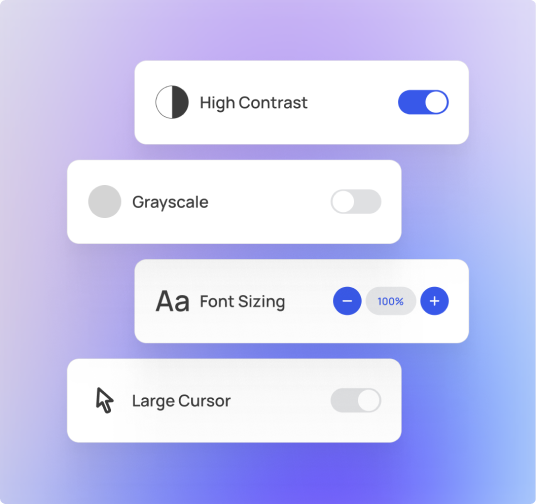
Visitor Accessibility Toolbar
A lightweight floating widget with 10 user-controlled features:
- Font Size
- Pause Animation
- Grayscale
- Line Height
- Screen Mask
- High Contrast
- Dyslexia Font
- Reading guide
- Large Cursor
- Highlight Links
Scanner
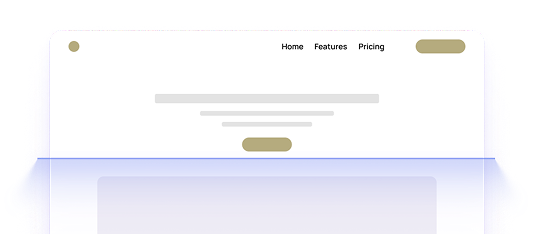
Checks 12 WCAG 2.1 AA rules across every page – colour contrast, ARIA roles, heading, form labels, focus indicators, and more.
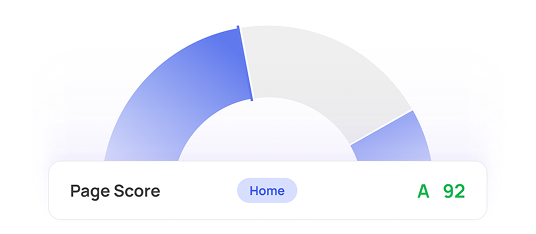
Score & Grade
Every page receives an A–F accessibility score with a full POUR breakdown: Perceivable, Operable, Understandable, Robust.
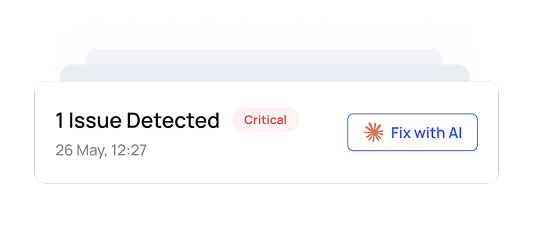
AI Auto-Fix
Generates corrected HTML for fixable issues using your own API key. Supports Anthropic Claude, OpenAI GPT-4o, Google Gemini, and local Ollama (free — no API key needed).
Privacy-first
Your API key is encrypted at rest with AES-256-CBC. No data ever passes through AccessMate servers. AI requests go directly from your server to your chosen provider.
Why it’s better to build accessibly from the start
Retrofitting accessibility after a product is built typically costs 3–5× more than building it in from the beginning. Every inaccessible pattern that reaches production becomes a refactor. Every launch that happens before an accessibility review risks legal exposure. And every user who can’t access your product is a user you’ve lost.
“We’ve seen what happens when accessibility is left until the end. It doesn’t work – technically or commercially. Our process starts with it.”
Have questions?
We’ve got answers.
Build it right for everyone – from the first wireframe.
Whether you’re starting a new product or need an existing one audited and remediated, we can help. Our accessibility practice covers design, development, and QA — end to end.