Overview
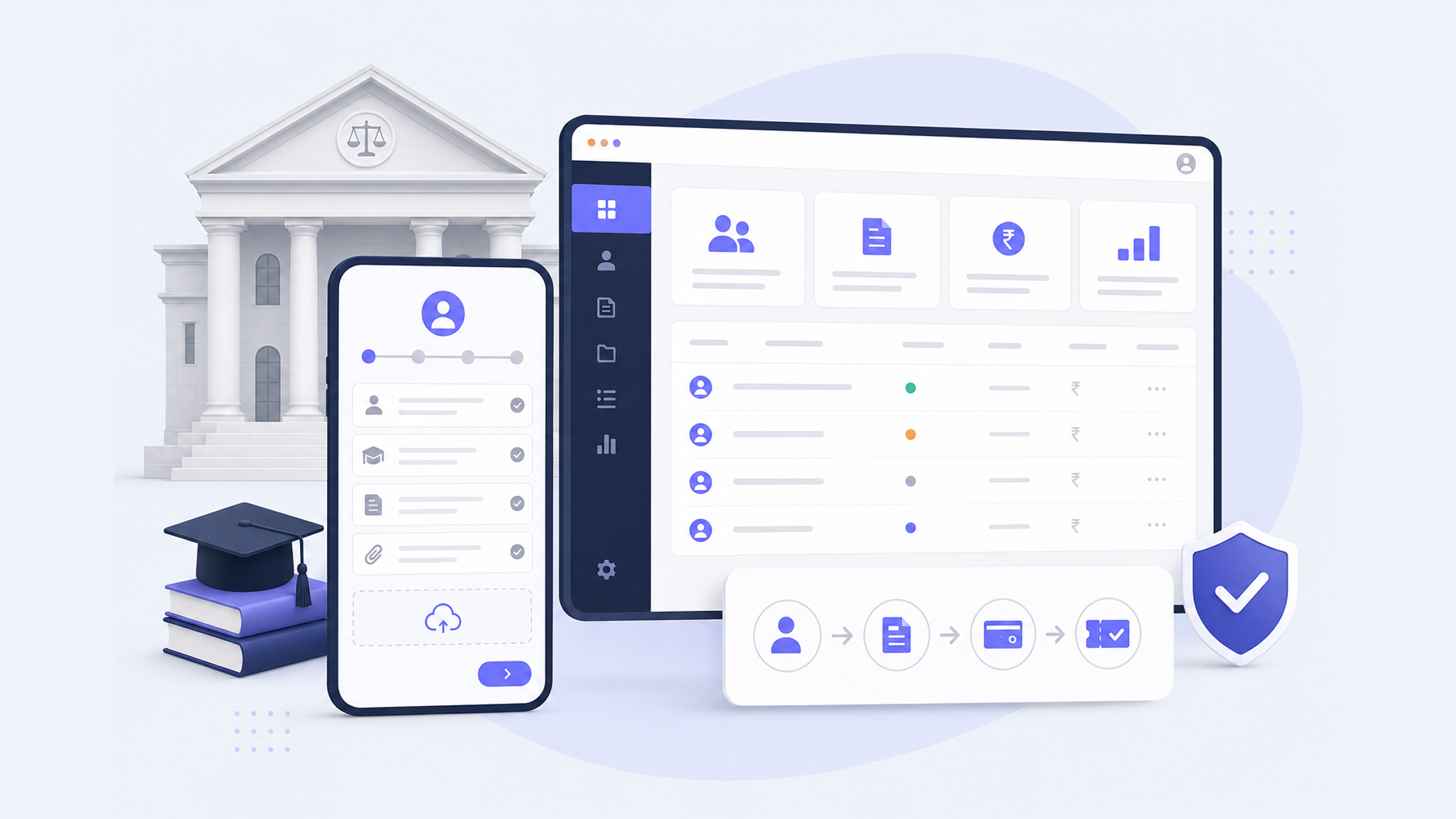
A leading law institution in India needed a purpose-built admissions management system to handle thousands of applications, registrations, and payments across multiple courses each cycle. Awsm built the platform from scratch in 2018 — giving prospective students a smooth online application experience with draft save, multi-course applications, document upload, progress tracking, and hall ticket download, while giving the administration team complete control over the admissions lifecycle. Eight years later, the same platform continues to run every admissions cycle reliably. Client name withheld under NDA.
Client
Leading law institution, India (NDA)
Industry
Education • Higher Education
Geography
India
Our Role
Tech
The Client
One of India’s most respected and established law colleges — a premier institution with a competitive admissions process attracting thousands of applicants each year across multiple programmes and courses. The institution’s reputation demands a high standard of operational reliability, especially during admissions season, when thousands of applications must be processed accurately and on time.
The Challenge
Managing admissions manually — or through generic forms and spreadsheets — had reached its limits. The institution needed a purpose-built system that could handle the full admissions lifecycle: from a student’s first registration to final selection, across multiple courses with different fee structures, eligibility criteria, and application requirements.
The system needed to serve two very different audiences simultaneously:
- Prospective students — who needed a smooth, reliable application experience from any device
- Administration staff — who needed complete control over the admissions workflow without technical dependency
What We Built
Student-Facing Application Portal
Registration & Payment Students register for their chosen course(s) and complete registration payment online — a secure, reliable transaction that confirms their entry into the application process.
Draft Save & Resume A critical feature for complex applications: students can begin an application, save their progress, and return later to complete it. Partial applications are not lost. Students can apply at their own pace without losing work.
Multi-Course Applications A single student account allows applications to multiple courses — managing each application independently within one profile.
Document Submission Applicants upload required documents directly through the portal — certificates, photographs, identity documents — linked to their application and accessible to the administration team.
Application Progress Tracking Students see exactly where their application stands at every stage — submitted, under review, shortlisted, selected, or rejected — without having to contact the institution.
Communication Channel A direct communication layer between applicants and the admissions office — enabling queries, requests for additional documents, and updates without email or phone dependency.
Email Notifications Automated email notifications keep applicants informed at every status change — registration confirmation, application received, shortlist notification, selection, and more.
Hall Ticket Download For courses with entrance examinations, the platform generates and delivers hall tickets digitally — applicants download their exam admission ticket directly from their profile.
Administration Panel
Admission Cycle Management Administrators open and close admissions for each course independently — controlling exactly when applications are accepted, without technical intervention.
Course Configuration Add new courses, configure fee structures, define required application fields, and set eligibility criteria — all from within the admin interface.
Application Review A structured interface for reviewing applications — viewing submitted documents, reading applicant details, and moving applications through the approval workflow.
Approval & Verification Workflow A multi-stage workflow for reviewing, verifying, shortlisting, and selecting applicants — with role-based access so different staff members handle different stages.
Communication Management Direct communication with individual applicants from within the admin panel — sending status updates, requesting additional information, and managing queries.
Shortlisting & Selection Tools for comparing applications, marking shortlisted candidates, and finalising selections — with audit trail maintained throughout.
Payment Verification Dashboard for verifying registration payments and application fees — flagging discrepancies and confirming payment before advancing applications.
Refund Management Processing refunds for rejected or withdrawn applications within the system.
Export, Print & Download Export applications in bulk, print formatted application forms, and download applicant data for offline use and institutional record-keeping.
8 Years In Production
The system was first built and deployed in 2018. It is 2026, and the same platform — maintained, evolved, and improved through eight admissions cycles — continues to handle thousands of applications, registrations, and payments every year.
This is not just a technology success. It is a testimony to the reliability of the build, the quality of the ongoing maintenance, and the trust the institution places in Awsm as their long-term technology partner.
Eight years. Thousands of applications annually. Zero critical failures during an admissions cycle.
Results
- Fully digital admissions process — paper applications eliminated
Thousands of applications, registrations, and payments handled reliably each cycle since 2018 - Draft save and multi-course functionality significantly improving applicant experience
- Administration team empowered to manage the full admissions lifecycle without technical dependency
- 8 consecutive years of reliable production operation